
Mastering Workflow Orchestration for Operational Excellence
Discover what workflow orchestration is, how it works, and why organizations use it to manage complex processes and automate end-to-end workflows.

Published 26 Jan 2026
Article by
5 min read
What is Workflow Orchestration?
Workflow orchestration is the practice of organizing and managing tasks in a specific sequence to ensure operational efficiency. By coordinating people, systems, and tools, it ensures each step occurs at the right time, reducing manual effort, delays, and errors in daily business activities.
What are the Benefits of Workflow Orchestration?
Workflow orchestration is the digital evolution of over a hundred years of efficiency science,automating sequences and interactions to replace the need for manual coordination. Today, it is a key part of modern process management, helping businesses gain the following:
Enhanced efficiency and speed - A publication on workflow orchestration shows that tasks are completed 65% faster because different systems automatically handle long sequences of work. Passing tasks back and forth is eliminated.
Reduced errors and higher quality - The same research shows that error rates drop by about 74%, leading to more reliable results. Detailed, set rules prevent the typical mistakes and do-overs that occur with manual work.
Cost savings and higher ROI - Automating how work flows through a company reduces expensive manual labor and administrative costs. This leads to savings and long-term gains that outweigh the initial setup costs.
Better visibility and control for governance - Teams gain a bird’s-eye view of every task through clear dashboards and activity logs. Managers can easily see where work gets stuck, helping them make better decisions for process changes or fixes.
Scalability and agility - Companies can also easily update processes to meet new demands, making them more agile and better positioned to implement operations automation . It also shifts the focus of the workforce, allowing workers to avoid getting stalled by slow, repetitive labor so they can spend more time on high-value strategies.
Achieve operational excellence
Cultivate a culture of excellence with our digital solutions that enhance efficiency, agility, and continuous improvement across all operations.
Common Tools
Different businesses have different needs. Depending on what you are trying to coordinate, most tools follow one of three main approaches:
Data-Focused Orchestrators
These are built for moving and organizing information. They ensure that large amounts of data travel from one place to another in the correct order, making them ideal for technical teams who handle reporting and analytics. These are the most common examples:
Apache Airflow is best for fixed schedules.
Prefect handles dynamic workflows.
Apache NiFi is great for data routing with its drag-and-drop interface.
Code-First or Microservice Orchestrators
Made for software reliability, these act as a safety net for digital applications. If a system crashes mid-task, the process remembers exactly where it left off and finishes the job without losing data.
Temporal ensures a code is running even if the server crashes. This makes it perfect for financial transactions or long-running subscriptions.
Kubernetesorchestrates containers, not individual tasks. It ensures everything has enough CPU/RAM to function properly.
Business or Process-Led Orchestrators
These are developed for people and rules. They use visual flowcharts to coordinate steps between different departments. This often includes human-in-the-loop stages, where both human input and artificial intelligence are integrated into machine learning. A very good example is waiting for a manager’s signature before moving to the next step.
Canmunda helps analysts draw flowcharts. It also helps developers attach code to each box (step).
Pega suggests the “Next Best Action”, guiding users through complex tasks like customer service and financial operations.
What are the Best Practices for Workflow Orchestration?
Well-managed workflows can prevent errors, provide a clear view of all activities, and allow teams to grow their operations with confidence. These best practices turn workflow orchestration into a strategic advantage, helping businesses pivot quickly as new customer needs or technologies emerge.
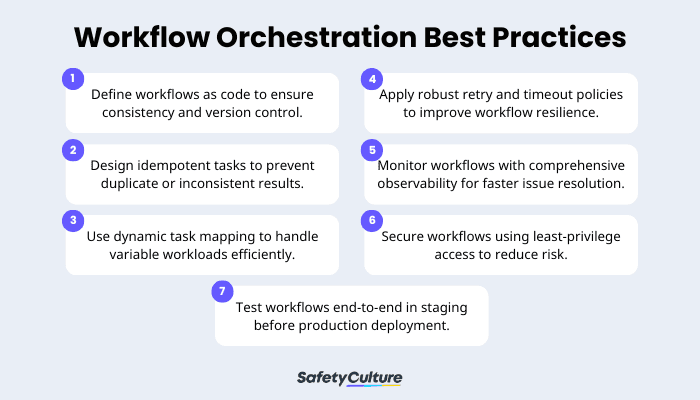
Define workflows as code to ensure consistency and version control.
Treating workflows as code makes orchestration repeatable, auditable, and easier to update. Teams should treat their process plans like important documents. They should save them in a central system that tracks every update, have colleagues double-check any changes, and use automated pipelines for implementation.
Design idempotent tasks to prevent duplicate or inconsistent results.
Idempotent tasks (i.e., recurring tasks that produce a consistent outcome) are critical during retries or system failures. Teams should design tasks that can safely be rerun without side effects. For instance, payment systems ensure that retrying a transaction doesn’t charge customers twice after network interruptions.
Use dynamic task mapping to handle variable workloads efficiently.
The work can be automatically adjusted based on the amount of data and the current conditions. It’s essential for growing a business because it eliminates manual redesign as the workload increases. Data teams can handle thousands of files at once by letting the system create new tasks on the fly based on the volume of information that arrives each day.
Apply robust retry and timeout policies to improve workflow resilience.
Retries and timeouts help workflows recover from temporary failures without human intervention. Set up reasonable rules for how many times the system should try again if a task fails, how long it should wait between tries, and what to do if it still doesn't work.
Monitor workflows with comprehensive observability for faster issue resolution.
End-to-end visibility allows teams to track the status, speed, and any failures of their work in real time. Building monitoring tools and alerts into the system helps businesses spot where the work gets stuck. It’s also a cornerstone of digital transformation —turning raw data into clear, usable insights.
Secure workflows using least-privilege access to reduce risk.
Apply least-privilege principles to ensure that workflows access only what they truly need. Teams should limit credentials, roles, and permissions at each step. This is critical for compliance-driven organizations that handle sensitive databases, such as health care facilities.
Test workflows end-to-end in staging before production deployment.
Test full workflows in staging environments to uncover integration issues, timing errors, and failure scenarios. For example, finance teams should simulate real data and what-if situations to catch mistakes before they result in costly production errors.
Facilitate Workflow Orchestration with SafetyCulture
Why Use SafetyCulture?
SafetyCulture is a mobile-first operations platform adopted across industries such as manufacturing, mining, construction, retail, and hospitality. It’s designed to equip leaders and working teams with the knowledge and tools to do their best work—to the safest and highest standard.
Support workflow orchestration by organizing activities with the help of no-code templates to sequence inspections, audits, escalations, and corrective actions across teams. Seamlessly integrate with other solutions for real-time visibility into daily operations, helping team leads spot bottlenecks and refine processes. Enhance orchestration strategies, ensuring timely execution and consistent performance gains, through a unified platform.
✓ Save time and reduce costs
✓ Stay on top of risks and incidents
✓ Boost productivity and efficiency
✓ Enhance communication and collaboration
✓ Discover improvement opportunities
✓ Make data-driven business decisions
FAQs About Workflow Orchestration
Related articles
Business Processes
Operations

Mastering Project Delivery
Discover what project delivery is, how it works, the different methods, and how to overcome challenges through best practices.
Education
Operations

Teacher Evaluation Methods for Effective Quality Teaching
Learn about effective teacher evaluation systems and forms you can use to improve your teaching standards.
Business Processes
Operations

What is the Theory of Constraints (TOC)?
Learn how the theory of constraints identifies bottlenecks, enhances process improvement, and keeps operations running smoothly.