What You Need to Know About Visual Work Instructions (VWIs)
Simplify complex processes, boost accuracy, and enhance productivity across your operations with this guide to visual work instructions.

Simplify complex processes, boost accuracy, and enhance productivity across your operations with this guide to visual work instructions.
Published 28 Apr 2026
Article by
5 min read
Visual work instructions (VWIs) are detailed guides that combine photos, diagrams, and other visual elements with minimal text to provide clear, step-by-step instructions for completing a specific task or process. These tools are particularly useful in manufacturing, assembly, and other settings where consistency and precision are crucial.
Visual cues in VWIs enhance understanding and minimize errors. This type of work instruction also simplifies complex tasks for all workers, including those with language barriers or limited literacy. This method of instruction is instrumental in training, quality control, and process optimization, as it ensures that everyone can quickly understand and execute tasks to the same standard.
The use of visuals in work instructions offers many benefits to both the workers and the company as a whole, including the following:
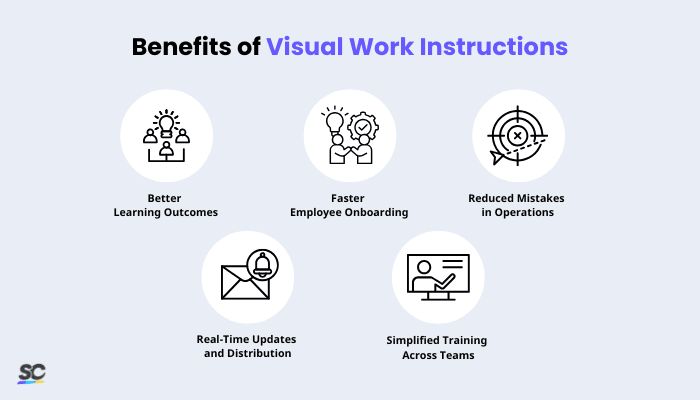
Better Learning Outcomes: According to a Journal of Operations Management study, interactive and animated work instructions significantly outperform traditional paper methods. Additionally, our brains understand visual information 6 to 600 times quicker than text.
Faster Employee Onboarding: New employees can learn independently with minimal supervision. By observing and mimicking accessible work instructions, they quickly build confidence and can revisit digital visuals any time for reinforcement.
Reduced Mistakes in Operations: Clear and precise visuals help minimize errors during production. Illustrated instructions and visual direction cards prevent incorrect assembly and reduce safety risks in manufacturing.
Real-Time Updates and Distribution: With digital visual guides, updates can be made instantly and sent to devices across the organization. It aligns all workers with the most recent and accurate procedures.
Simplified Training Across Teams: Visual work instructions break down language and literacy barriers. Whether workers are native speakers or not, everyone can easily understand comprehensible visuals.
Visual work instructions are crucial for any organization that values safety, accuracy, and efficiency. Here are some specific instances where visual work instructions can be highly beneficial:
For Diverse Teams: Visual work instructions are ideal for multilingual and cross-generational workforces. They bridge language and literacy gaps, promote inclusivity, and help new employees adapt faster with reduced onboarding time.
For Complex or Technical Tasks: Visuals simplify complicated procedures by breaking them into clear, step-by-step actions. It reduces cognitive load, ensures better understanding, and improves task accuracy.
For High-Volume or Repetitive Operations: Visual instructions boost comprehension speed and minimize mistakes in fast-paced environments like end-of-line tests. It leads to greater efficiency, smoother workflows, and higher overall productivity.
For Employee Training and Onboarding: Visual work instructions make training more engaging and effective. They help learners retain information better, shorten training time, and improve confidence in performing new tasks.
For Safety-Sensitive Work: Clear visuals reduce misinterpretations and support adherence to safety protocols (e.g., lockout tagout procedures). They help prevent accidents, ensure compliance, and protect workers in hazardous environments.
You can create visual work instructions in various ways, depending on your organization's needs. Here are some key steps to follow when creating effective visual work instructions:
Understand Your Audience: Identify your audience and their familiarity with the process. Always assume minimal prior knowledge to ensure instructions are accessible to everyone. Then, tailor the format—videos, runbooks, or diagrams—to their specific roles and needs.
Review the Entire Process: Record an experienced worker performing the full procedure from start to finish. Watch the video carefully and note each important action. It ensures workers don't miss any critical steps and that beginners can easily follow along.
Organize the Instruction Flow: Break the process into smaller, logical steps for clarity. Arrange them in the correct sequence to make the workflow easy to follow. A clear organization keeps users focused and aware of their progress.
List Key Visual Elements: Before creating your material, plan which visuals to include, then list necessary visual aids to improve understanding. These may include images, diagrams, text overlays, and annotations.
Write Clear and Concise Text: Keep sentences short and use an active, direct tone. Write clear commands supported by brief explanations. Text should complement visuals, not overpower them.
Build and Test the Sequences: Combine all the elements in your training tool. Test the instructions with users of varying experience levels and gather feedback. Then, they will use their input to refine and improve the final version.
Cultivate a culture of excellence with our digital solutions that enhance efficiency, agility, and continuous improvement across all operations.
Creating effective visual work instructions involves making information clear, consistent, and easy to follow. Many companies are turning to technology to help them create clear, user-friendly work instructions.
For example, Schindler, a Swiss company known for manufacturing and servicing elevators, escalators, and moving walkways, leverages digital tools to optimize how employees access and follow visual work instructions.
Here are some best practices to keep in mind:
Simplify Your Design: Use straightforward language and clear visuals that make each step easy to understand. The goal is to reduce confusion and ensure employees can follow along without extra guidance.
Maintain Visual Consistency: Keep fonts, icons, and layout styles uniform across all instructions. Consistency not only builds familiarity but also makes updates and management easier.
Encourage Continuous Feedback: Ask workers to share when steps are unclear or could be improved. Their firsthand experience can help refine instructions and improve usability.
Implement Version Control: Store all instructions in a central location and track updates carefully. It ensures everyone has access to the most current and accurate version.
Integrate with Workflow Systems: Embed your visual work instructions into digital tools like task management or production systems. It makes them accessible at the point of use, improving compliance and efficiency.
Adapt for Different Skill Levels: Provide detailed visuals and guidance for new employees, while offering concise versions for experienced workers. Customizing your materials ensures relevance and boosts overall performance.
SafetyCulture is a mobile-first operations platform adopted across industries such as manufacturing, mining, construction, retail, and hospitality. It’s designed to equip leaders and working teams with the knowledge and tools to do their best work—to the safest and highest standard.
Streamline processes, eliminate bottlenecks, enhance resource utilization, and build an agile and scalable infrastructure with SafetyCulture. Strive for operational excellence to boost competitive advantage, foster sustainable growth, and deliver long-term value.
Save time and reduce costs
Stay on top of risks and incidents
Boost productivity and efficiency
Enhance communication and collaboration
Discover improvement opportunities
Make data-driven business decisions