Why use a risk assessment matrix template
The Occupational Safety and Health Administration (OSHA) frames hazard evaluation the same way: assess severity and likelihood, prioritize, then keep controlling the highest-ranked risks until they're no longer the highest-ranked risks. A matrix template is simply the tool that makes that ranking visible.
A risk assessment matrix template gives your team a consistent way to score risks, before work starts, not after something goes wrong. Without one, likelihood and severity ratings come down to whoever's filling out the form that day. One supervisor calls a risk "moderate," another calls the same risk "high," and suddenly your risk data can't be compared across sites or projects.
A template fixes the scoring criteria upfront, so every risk gets rated the same way regardless of who's doing the rating. That consistency is what makes your risk register useful for prioritization instead of just documentation.
What to include in a risk assessment matrix template
A risk assessment matrix template only earns its place if it captures the right information. At minimum, your checklist should include:
A risk description field, so the entry means something months later
Likelihood and impact scores, usually on a 1–5 or 1–3 scale
An auto-calculated risk score (likelihood multiplied by impact)
A control or mitigation action for anything above your acceptable threshold
An owner, so the action doesn't sit unassigned
A review date, so nobody forgets to revisit it
Common mistakes to avoid with a risk assessment matrix template
A few patterns show up again and again in matrices that stop working within a few months:
Inconsistent scoring across the team. Without written scoring criteria, everyone scores from instinct, and the ratings drift apart.
Treating it as a one-time exercise. Risks change. A matrix filled out during project kickoff and never touched again is a snapshot, not a management tool.
No owner on the action. A red-rated risk with nobody assigned to it just sits there looking urgent.
Never revisiting scores after controls go in. If a control has been added, the residual risk score should drop. If it never does, the matrix isn't tracking reality.
How to fill out your risk assessment matrix template step by step
Once the scale and color bands are locked, filling out the template is a short process. Here's a quick guide:
Log and describe each risk. Be specific. "Equipment failure" tells you less than "forklift hydraulic hose rupture during loading."
Assign likelihood and impact scores. Use the fixed scale, not a gut feeling. If two people would score it differently, that's a sign the scale needs clearer definitions, not that the risk is ambiguous.
Calculate the risk score and assign an owner. Multiply likelihood by impact for the raw score, apply your color band, then name a person, not a department, to own the follow-up.
Complete with a sign-off. Make sure the completed matrix and report has a sign-off from the person who filled it out. This ensures traceability when documenting and assessing risks.
Sample risk assessment matrix report
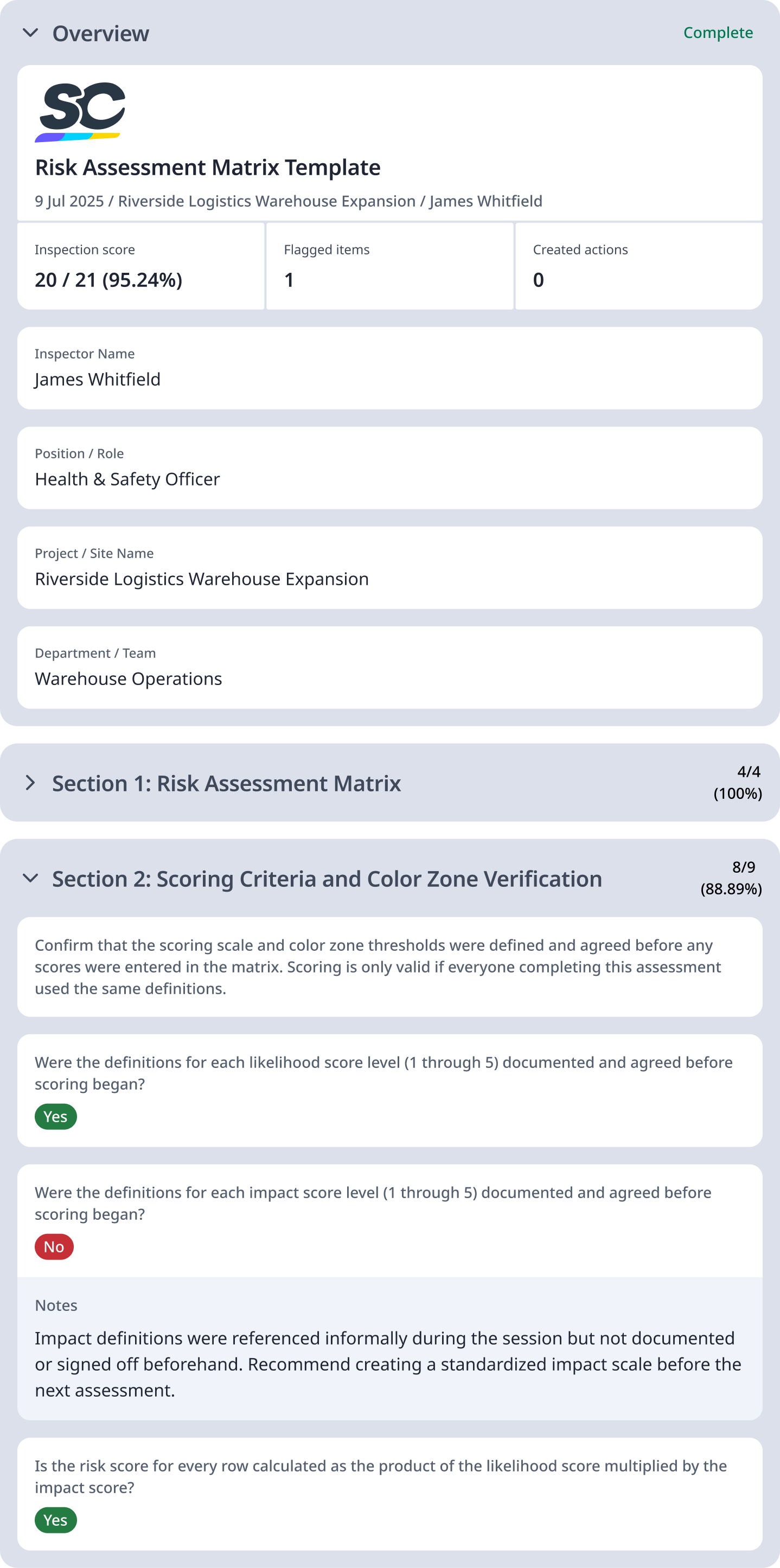
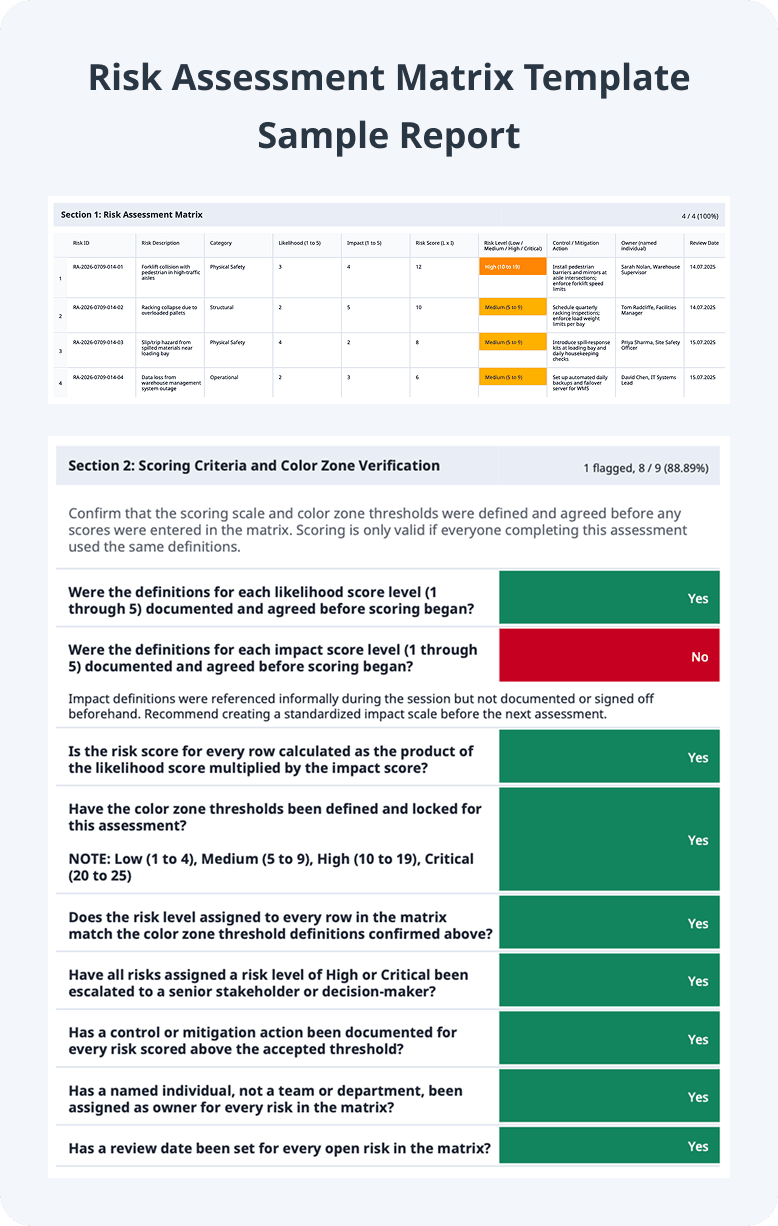
To give a better understanding of how this template is used, here is a sample risk assessment matrix report:
Preview Sample Risk Assessment Matrix Template PDF Report