Contractor Risk Management Template vs. Risk Register: What's the Difference?
A contractor risk management template and a risk register are often used interchangeably, but they serve different purposes. Here is a summary of their key differences for contractor management:
Tool | What it is | When you use it |
Contractor risk assessment | A point-in-time evaluation of contractor-related risks | Before a contractor starts work |
Contractor risk management template | A reusable document that runs the full risk process: identification, scoring, mitigation, monitoring | Ongoing — throughout the project lifecycle |
Risk register | A live log of all identified risks, owners, and statuses | Continuously updated throughout a project |
In practice, the contractor risk management template generates the records that feed the risk register. Platforms like SafetyCulture combine both functions; the template structures the assessment and the platform maintains the live register automatically, giving project managers a single view of all open risks across contractors without managing two separate documents.
What to Include in a Contractor Risk Management Template
A contractor risk management template only works if it captures the right information. These are the five key components the template needs:
Risk identification fields
Record the contractor's name, activity type, project phase, site location, and risk category. Categories should cover safety, legal/compliance, financial, reputational, and environmental risks. The more specific the identification, the more useful the rest of the template becomes.
Risk scoring matrix
Score each identified risk on two scales: likelihood (1–5) and consequence (1–5). Multiply the two scores to get a risk rating. A rating of 15 or above typically signals a risk requiring immediate action; ratings of 8–14 need a mitigation plan; anything below 8 is monitored. Including a visual 5x5 matrix in the template makes it faster for teams to assess risks in the field.
Mitigation controls
For each risk, record the control measure being put in place, who owns it, and the target completion date. Ownership is the critical field here — a risk with no named owner rarely gets resolved.
Monitoring and review log
Track when each risk was last reviewed, what changed, and when the next review is scheduled. This is the field most teams skip, and it's the one that creates audit trail gaps when something goes wrong.
Regulatory alignment fields
A checkbox or dropdown confirming the risk record addresses the relevant standard (ISO 31000, ISO 45001, OSHA 29 CFR 1926) keeps the template audit-ready and makes compliance reviews faster.
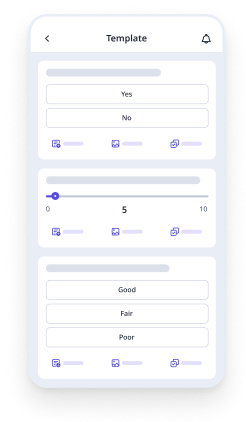
Tools like SafetyCulture let teams build these components into a digital template that updates in real time, assigns actions automatically, and generates a PDF report with one tap — replacing the manual spreadsheet process most sites still rely on.
How to Use the Contractor Risk Management Checklist
The template is only as good as the process behind it. Follow these five steps each time a new contractor is brought on site.
Step 1: Identify and categorize contractor risks
Start before the contractor arrives. Review the scope of work, check the contractor's pre-qualification documentation, and walk the site with the risks in mind. Look for: unverified certifications, activities that overlap with other trades, work near utilities, and any conditions that differ from what was tendered.
Step 2: Score each risk
Use the likelihood/consequence matrix. A practical example: a scaffolding contractor with an expired working-at-heights certification scores 4 (likely) on likelihood and 5 (catastrophic) on consequence — risk rating of 20, requiring immediate resolution before work starts. Don't estimate; score against what the evidence actually shows.
Step 3: Assign a risk owner and mitigation action
Write the control measure in plain language and name the person responsible. "Site manager to confirm updated certification received and filed before mobilization" is a useful record. "Certificate to be checked" is not.
Step 4: Set a review date
Tie review dates to project milestones — end of each phase, or at the start of each new work package. Under ISO 31000's monitoring requirements, risk records should also be reviewed after any significant change to scope, personnel, or site conditions.
Step 5: Update when conditions change
A contractor risk management template is a live document. Update it whenever a new subcontractor joins the project, a near-miss is recorded, or a change order introduces work not covered in the original assessment. Construction teams using platforms like SafetyCulture can trigger automated review reminders so updates don't fall through the cracks between milestones.
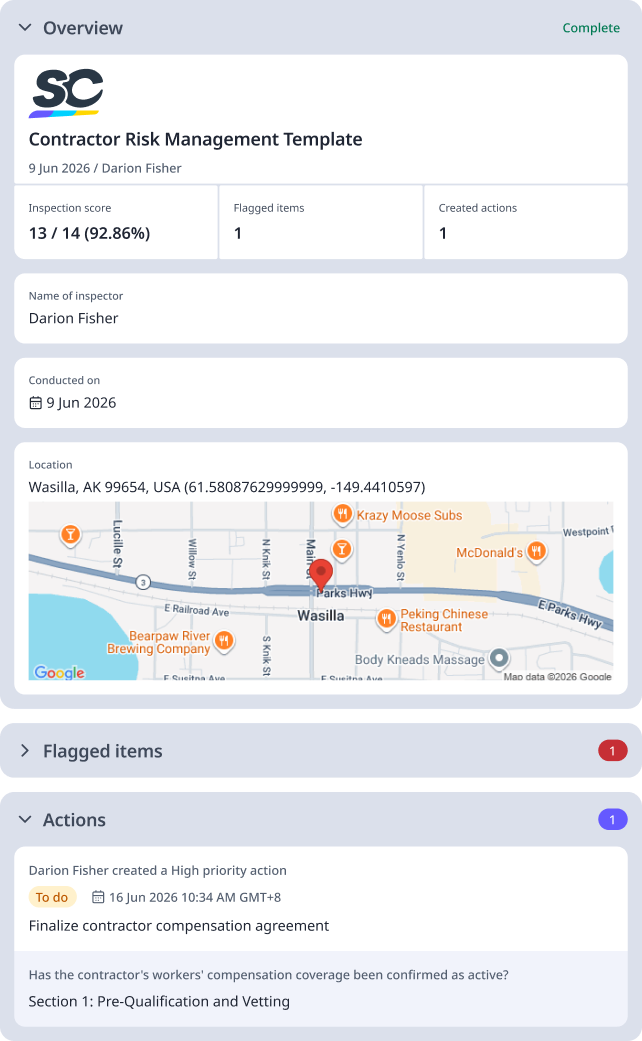
For reference, here is an example of a filled out contractor risk management template:
Preview Contractor Risk Management Template PDF Report
Contractor Risks That Get Missed — and How the Template Helps Catch Them
A generic construction risk assessment won't surface contractor-specific risks. These are the five most commonly missed:
Subcontractor and supply chain gaps
When a principal contractor brings sub-tiers onto site, their safety records and qualifications may never get independently verified. The template's pre-qualification fields create a checkpoint — each subcontractor needs its own risk record, not just the tier-one contractor.
Insurance and liability gaps
Contractor public liability or workers' compensation coverage can lapse mid-project without the project manager being notified. A template field that records coverage expiry dates and triggers a review 30 days before expiry catches this before it becomes an uncapped liability.
Pre-qualification failures
Incomplete vetting of contractor competency — missing trade licenses, expired working-at-heights cards, undisclosed past incident history — is one of the most common root causes of contractor-related incidents. The identification fields in the template make these gaps visible before work starts, not after.
Scope creep and change-order risks
When a change order introduces new activities not covered in the original assessment, those new risks often go unscored. Byblos Construction uses SafetyCulture to digitize risk assessments and compliance checks, letting teams notify leaders of new risks for faster action and fewer blind spots — the kind of real-time visibility that prevents change-order risks from slipping through.
Regulatory non-compliance passed down the chain
A contractor's failure to meet OSHA 29 CFR 1926 requirements or ISO 45001 obligations can create liability for the project owner. The compliance alignment fields in the template document which standards apply to each contractor activity and whether the relevant controls are in place.